

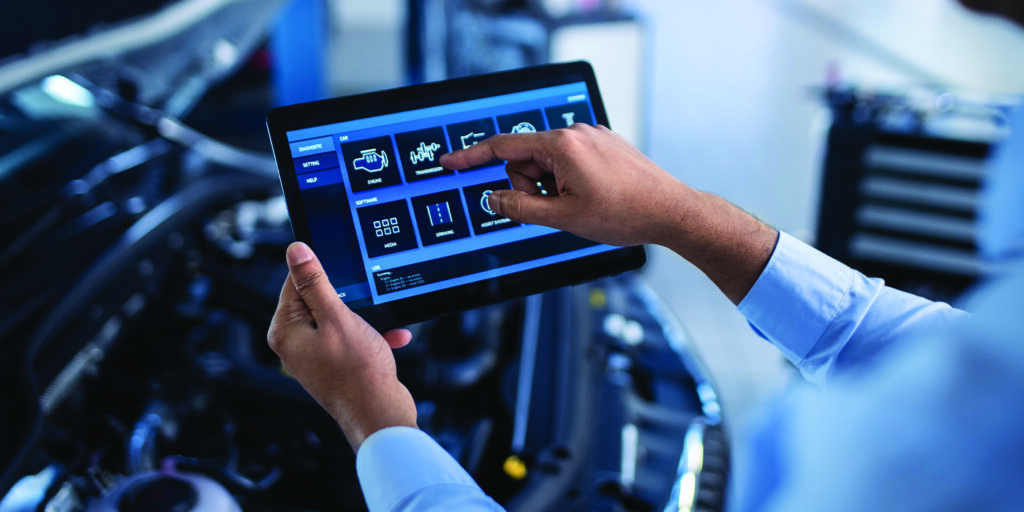
The automotive repair industry is rapidly evolving, and digital transformation is now at the core of successful business operations. One of the most significant changes shaping modern repair shops is the adoption of digital workflows in auto repair. By replacing traditional paper-based systems with digital solutions, repair shops can streamline processes, enhance productivity, and deliver a smoother experience for both technicians and customers. Implementing these workflows properly requires a strategic approach that focuses on technology integration, team training, and process optimization. Understanding the best practices for setting up digital workflows can help your shop operate more efficiently, reduce errors, and stay ahead of industry trends.
Understanding Digital Workflows in Auto Repair
Digital workflows refer to the automation and digitization of tasks within your shop—from customer check-in and job scheduling to diagnostics, repair tracking, and invoicing. These systems create a seamless process where data flows automatically between departments, minimizing manual input and improving accuracy.
In auto repair, digital workflows replace outdated methods such as handwritten job cards, phone-based approvals, and disconnected systems. They link everything from inspection reports to customer communications in one centralized platform. This leads to real-time visibility, faster turnaround times, and more efficient operations.
Why Digital Workflows Matter for Modern Repair Shops
The benefits of digital workflows extend beyond convenience. They have become essential for maintaining competitiveness and delivering quality service.
Some key advantages include:
- Improved efficiency: Technicians can access repair histories, manuals, and parts data instantly, saving time.
- Better accuracy: Digital systems eliminate errors from illegible handwriting or misplaced documents.
- Enhanced customer experience: Customers receive digital estimates, progress updates, and invoices via email or text.
- Transparency and accountability: Every action is logged, allowing easy tracking of job progress and technician performance.
- Reduced administrative workload: Automation handles routine tasks like generating estimates or ordering parts.
The shift to digital workflows ensures your shop operates at peak efficiency and remains adaptable as customer expectations evolve.
Step 1: Analyze and Map Your Existing Workflow
Before setting up a digital system, you must understand your current workflow. Identify how jobs move through your shop—from customer check-in to delivery.
Ask questions such as:
- How are appointments scheduled and tracked?
- Where do communication breakdowns occur?
- What steps take the most time or cause bottlenecks?
Mapping out these stages helps pinpoint inefficiencies that can be addressed through automation. Use flowcharts or visual diagrams to represent each process, making it easier to see where digital tools can make an immediate impact.
Step 2: Choose the Right Digital Platform
Selecting the appropriate platform is crucial for a successful digital workflow implementation. Look for software specifically designed for automotive repair operations, offering features like job management, customer relationship tools, inventory tracking, and payment processing.
Key factors to consider include:
- Integration capability: Ensure it connects with your accounting, inventory, and diagnostic systems.
- Mobile access: Technicians should be able to update work orders and view job details directly from their devices.
- Ease of use: The interface should be intuitive for technicians, service advisors, and managers.
- Scalability: Choose software that can grow with your shop as you expand operations.
A well-chosen system acts as the backbone of your digital workflow, supporting all other processes efficiently.
Step 3: Standardize Your Processes Before Going Digital
Digitizing a broken process only amplifies inefficiencies. Before implementing digital tools, make sure all your operational procedures are standardized.
For example:
- Use uniform job templates for inspections and estimates.
- Define clear responsibilities for each role—technician, parts manager, and service advisor.
- Establish consistent naming conventions for repair jobs, parts, and services.
Standardization ensures everyone follows the same structure, allowing digital systems to work cohesively across departments.
Step 4: Automate Repetitive Tasks
Automation is one of the most powerful aspects of digital workflows. Identify tasks that are repetitive or prone to human error and automate them. Examples include:
- Job scheduling: Automatically assign jobs based on technician availability and skill level.
- Estimate generation: Use predefined templates to create accurate quotes quickly.
- Parts ordering: Integrate with suppliers to trigger restock orders when inventory runs low.
- Customer notifications: Send automatic updates when a repair stage is completed or approval is needed.
Automation not only saves time but also ensures consistency in every transaction, reducing delays and errors.
Step 5: Digitize Customer Interaction
Customer-facing processes are often the first touchpoints that define the overall experience. By digitizing these interactions, you can improve transparency and communication.
Consider implementing:
- Online booking systems: Allow customers to schedule appointments directly from your website or mobile app.
- Digital vehicle inspections: Send customers detailed reports with photos and videos of their vehicle issues.
- E-signatures and approvals: Enable customers to approve repair estimates digitally, reducing wait times.
- Automated follow-ups: Use email or SMS to request reviews or remind customers about upcoming maintenance.
These digital interactions create convenience for customers while helping your shop maintain professionalism and trust.
Step 6: Enable Real-Time Collaboration Between Teams
Digital workflows break down silos between departments, allowing technicians, service advisors, and managers to work collaboratively. Implement systems that support real-time updates across teams.
For example:
- When a technician marks a repair as complete, the front desk is instantly notified to update the customer.
- Service advisors can check technician availability before scheduling new jobs.
- Managers can track productivity metrics from a centralized dashboard.
This real-time communication minimizes downtime, prevents miscommunication, and keeps the shop running smoothly.
Step 7: Focus on Data Accuracy and Accessibility
Data accuracy is vital for any digital workflow to function effectively. Make sure your system maintains clean, up-to-date information across all modules.
To achieve this:
- Conduct regular data audits to remove duplicates or outdated records.
- Assign data-entry responsibilities to specific team members.
- Train employees on proper data management practices.
Additionally, ensure that critical information—such as service history, parts inventory, and invoices—is easily accessible to authorized users from any device. This accessibility enhances decision-making and allows faster problem resolution.
Step 8: Integrate Mobile Functionality for Technicians
Technicians spend most of their time on the shop floor, making mobility a crucial component of digital workflows. Mobile devices allow them to perform tasks without leaving their workstations.
Mobile access enables:
- Viewing work orders and repair history instantly.
- Uploading photos or diagnostic results directly into the system.
- Communicating with service advisors without walking back and forth.
- Clocking in and out digitally for accurate time tracking.
By equipping technicians with mobile tools, you increase productivity and reduce workflow interruptions.
Step 9: Prioritize Security and Backup Systems
Digital transformation introduces new risks, especially related to data security. Protecting sensitive information such as customer details, payment data, and repair records must be a top priority.
Best practices for security include:
- Using encrypted data storage and secure cloud platforms.
- Implementing role-based access controls to limit permissions.
- Setting up automatic data backups to prevent loss during system failures.
- Conducting regular security audits and employee training on cybersecurity.
A secure system builds customer trust and ensures business continuity even in the event of unexpected disruptions.
Step 10: Train and Empower Your Team
No digital workflow will succeed without proper team adoption. Invest time in training your staff on how to use the new tools effectively.
- Hands-on workshops: Provide live demonstrations and practical sessions.
- Role-specific training: Tailor sessions for technicians, service advisors, and managers.
- Feedback loops: Encourage employees to share challenges and suggestions for improvement.
Training should be continuous, ensuring that staff stays updated as technology evolves. When your team feels confident using digital systems, efficiency and morale improve significantly.
Step 11: Monitor Performance with Analytics
One of the biggest advantages of digital workflows is access to real-time analytics. Use the system’s reporting features to monitor key performance indicators (KPIs) such as:
- Average job completion time
- Technician productivity levels
- Customer satisfaction scores
- Parts utilization rates
- Repeat customer ratios
These metrics provide insights into your workshop’s performance and highlight areas that need improvement. Data-driven decision-making ensures long-term operational growth.
Step 12: Continuously Optimize and Update Processes
Digital workflows are not static. As your business grows, customer expectations and technology trends will change. Regularly evaluate your processes and software to identify opportunities for improvement.
Consider the following:
- Update templates and automation rules as service offerings expand.
- Upgrade software modules to include new features.
- Gather team and customer feedback to refine operations.
Continuous optimization ensures your workshop remains agile and competitive in a constantly evolving market.
Frequently Asked Questions (FAQ)
1. What is the biggest advantage of digital workflows in auto repair?
The biggest advantage is improved operational efficiency through automation and real-time visibility, reducing manual errors and speeding up service delivery.
2. How long does it take to implement a digital workflow system?
Implementation time varies depending on shop size and complexity but typically takes a few weeks to a few months for full integration and staff training.
3. Can digital workflows work for small repair shops?
Yes. Even small shops benefit greatly from digital systems by improving communication, job tracking, and customer management.
4. How do digital inspections improve transparency?
Digital inspections allow technicians to share visual evidence of issues with customers, building trust and helping customers make informed decisions.
5. What should be prioritized during the initial setup?
Focus on standardizing processes, training staff, and ensuring data accuracy before automating complex workflows.
6. Are digital workflow systems expensive to maintain?
Maintenance costs are minimal compared to the efficiency gains and reduced administrative workload. Most systems are subscription-based and scalable.
7. How can I measure the success of my digital workflow implementation?
Track KPIs such as reduced job turnaround time, higher technician productivity, improved customer satisfaction, and fewer communication delays.
Implementing digital workflows in auto repair transforms how your shop operates, making it more efficient, transparent, and responsive. By following these best practices—focusing on process standardization, automation, and continuous improvement—you can create a streamlined operation that delivers exceptional results for both your team and your customers.
